
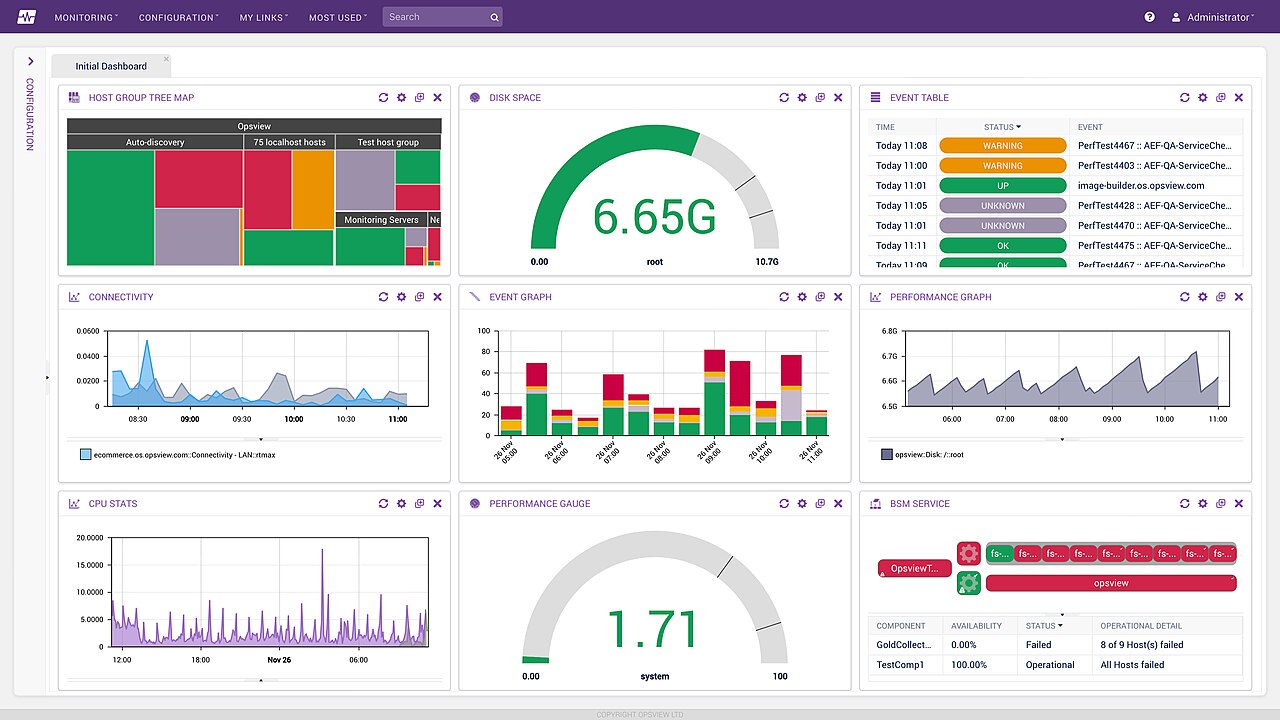
Walk into almost any small or medium-sized business in the UK and you will find the same thing behind the scenes: a set of spreadsheets that someone updates every Monday morning. Sales figures exported from the till or the e-commerce platform, invoices from Xero or QuickBooks, leads from a CRM, stock levels from a warehouse system — all copied, pasted and reconciled by hand. It works, up to a point. Then the business grows, the person who maintains the master workbook goes on leave, and nobody is quite sure which version of the numbers is right.
This guide is written for owners, finance leads and operations managers in UK SMEs who want to move from that weekly spreadsheet ritual to reliable, automated dashboards — without hiring a data team or buying an enterprise platform they do not need. It covers the questions to start with, a practical architecture, indicative costs in pounds, and the data protection points UK organisations must get right.
Key takeaways
- Start with the decisions you need to make, then choose the metrics and data that support them.
- Most SMEs need a modest, well-organised data stack rather than “big data” technology.
- Automating data collection removes copy-and-paste errors and frees hours every week.
- Agree clear definitions for key metrics so that everyone trusts the same numbers.
- UK GDPR applies to analytics too: minimise personal data, control access and set retention periods.
Begin with decisions, not dashboards
The most common mistake is to start by choosing a tool and building charts of everything that is available. The result is a colourful dashboard nobody uses. A better starting point is a short list of decisions the business makes regularly.
Examples from UK SMEs
- A Yorkshire food producer deciding weekly production volumes for each supermarket account.
- A Glasgow recruitment agency choosing which job boards and campaigns deserve more budget.
- A Midlands engineering firm deciding when to chase slow-paying customers and how much cash headroom remains.
- A Brighton e-commerce brand planning reorders before peak trading in November and December.
For each decision, write down the question, how often it is asked, who asks it, and what information would change the answer. That list becomes the specification for your first dashboard.
The metrics that usually matter
Every business is different, but most UK SMEs end up tracking a familiar core set of indicators. Agreeing precise definitions is as important as collecting the data.
| Area | Example metrics | Typical sources | Definition questions to settle |
|---|---|---|---|
| Sales | Revenue, orders, average order value, revenue by channel | Shopify, WooCommerce, EPOS, CRM | Including or excluding VAT? Gross or net of refunds? |
| Marketing | Leads, cost per lead, conversion rate by campaign | Google Analytics 4, ad platforms, CRM | What counts as a qualified lead? |
| Finance | Gross margin, cash position, aged debtors | Xero, QuickBooks, Sage, bank feeds | Which costs are included in margin? |
| Operations | Stock cover, fulfilment time, on-time delivery | Inventory and warehouse systems, couriers | When does the clock start and stop? |
| Customers | Repeat purchase rate, churn, satisfaction scores | CRM, subscription platform, surveys | Over what time window? |
If two managers can calculate the same metric differently, you do not have a metric — you have an argument waiting to happen. Write the definitions down.
A practical analytics architecture for SMEs
You do not need a complex platform to get reliable reporting. A lean, well-structured stack has four layers.
1. Connectors
Automated connectors pull data from your systems on a schedule. Many SaaS tools offer native exports or APIs; managed connector services can handle common sources like Xero, Shopify, HubSpot and Google Analytics with little custom code.
2. A central store
Data lands in one place — a cloud database or data warehouse such as PostgreSQL, BigQuery or Snowflake. For many SMEs, a modest PostgreSQL database is entirely sufficient. Choosing a UK or EU hosting region is straightforward with the main cloud providers.
3. A modelling layer
Raw data is cleaned and combined into tidy tables: one row per order, per customer, per invoice. This is where metric definitions are encoded, often using SQL-based tools such as dbt, so the logic is versioned and reviewable.
4. Dashboards and alerts
Tools such as Looker Studio, Power BI or Metabase present the numbers. Alerts can notify the right person when something needs attention — stock falling below cover, debtors passing a threshold, or a campaign’s cost per lead rising sharply.
Keep it proportionate: the right stack is the simplest one that answers your questions reliably. You can add sophistication later as needs grow.
Indicative costs in pounds
The following ranges are typical for UK SMEs and are intended for planning, not as quotes. Tool licences vary with users and data volumes.
- Discovery and metric definitions: roughly £1,500–£4,000 for workshops, data audit and a written specification.
- First dashboard with three to five data sources: often £5,000–£15,000 including connectors, modelling and visualisation.
- Running costs: commonly £50–£500 per month for hosting, connectors and BI licences, depending on choices.
- Ongoing support: optional monthly retainers for new reports, fixes and source changes.
Compare these with the staff time currently spent compiling reports by hand. For many businesses the saving in hours alone justifies the project, before counting the value of better decisions.
Data protection and governance for UK businesses
Analytics often involves personal data — customer names, emails, purchase histories and website behaviour. UK GDPR and the Data Protection Act 2018 apply in full, and the ICO provides practical guidance for small organisations.
Good practice checklist
- Minimise: aggregate or pseudonymise wherever individual-level detail is not needed.
- Control access: give people access only to the data their role requires, and remove access promptly when roles change.
- Set retention: decide how long raw and modelled data are kept, and automate deletion.
- Document processing: record what data you hold, why, and the lawful basis; update your privacy notice accordingly.
- Respect consent: website analytics relying on non-essential cookies needs consent under PECR, so expect some gaps in web data.
- Check suppliers: ensure data-processing agreements are in place with tool providers and that international transfers are covered.
What a good first dashboard looks like
To make this concrete, consider an illustrative weekly management dashboard for a hypothetical UK online retailer selling homeware. It is an example of structure rather than a real client report.
Top row: the headline numbers
Four tiles show net revenue excluding VAT, orders, average order value and gross margin for the past seven days, each compared with the previous week and the same week last year. Comparing against last year matters in UK retail because trading is strongly seasonal around Black Friday, Christmas and the January sales.
Middle: where the revenue came from
A simple bar chart splits revenue by channel — website, marketplace and wholesale — and a table lists the top ten products by margin rather than by revenue, which often tells a different story. A small line chart tracks marketing spend against new customers acquired.
Bottom: what needs attention
An exceptions list highlights products with less than three weeks of stock cover, orders that missed their dispatch target, and invoices more than thirty days overdue. Each line links back to the source system so a manager can act immediately.
Why this layout works
- It answers the questions the leadership team actually asks in its Monday meeting.
- It fits on one screen, so nobody has to scroll to find the important figures.
- Every number has an agreed definition documented alongside the dashboard.
- It distinguishes information from action: the exceptions list tells people what to do next.
Once a dashboard like this is trusted, teams stop exporting spreadsheets, meetings get shorter, and conversations move from “are these numbers right?” to “what should we do about them?”.
A phased plan from spreadsheets to dashboards
- Weeks 1–2 — Discover: list decisions, agree priority metrics, audit sources and data quality.
- Weeks 3–6 — Build the foundation: set up connectors, the central store and the first models.
- Weeks 7–8 — Launch the first dashboard: review with users, refine definitions and fix data issues revealed by the numbers.
- Months 3–6 — Extend: add sources, automated alerts and departmental views; retire the old spreadsheets.
- Beyond — Predict: once data is clean and trusted, consider forecasting and machine learning for demand planning or churn prediction.
That final step is where analytics meets artificial intelligence. Our AI and machine learning team builds forecasting and prediction models on top of well-modelled data, while our custom software development team handles bespoke integrations with systems that lack ready-made connectors.
Common pitfalls and how to avoid them
- Too many charts: start with one page per audience; add more only when someone asks a question the dashboard cannot answer.
- Dirty source data: fix data entry at the source — inconsistent product codes or duplicate customers will undermine any dashboard.
- No owner: assign a named person for each dashboard and each metric definition.
- Set and forget: systems change; schedule a quarterly review to check that connectors and definitions still hold.
- Ignoring adoption: train users, embed dashboards in weekly meetings and retire the spreadsheets they replace.
- Chasing real-time for its own sake: most SME decisions are made daily or weekly, so hourly or overnight refreshes are usually enough and keep running costs lower. Reserve real-time feeds for genuinely time-critical operations such as stock on a flash sale.
Creensight UK supports clients from our London office, backed by the engineering team of Creensight Private Limited in India, so projects benefit from UK-hours collaboration and an experienced delivery team for connectors, modelling and dashboards. We document every connector, model and metric definition so that your own staff can maintain and extend the setup confidently after handover.
Frequently asked questions
Do we need a data warehouse, or is Excel enough?
Spreadsheets are fine for small volumes and occasional analysis. Once you combine several sources, refresh numbers weekly or have multiple people relying on the same figures, a central store with automated connectors becomes far more reliable.
Which dashboard tool should a UK SME choose?
If you already use Microsoft 365, Power BI is a natural fit; Google Workspace users often start with Looker Studio; Metabase is a strong open-source option. The modelling layer matters more than the visualisation tool.
Can we include website analytics if visitors decline cookies?
Only for those who consent to analytics cookies. Treat web analytics as a sample, and use server-side sources such as orders and enquiries for complete totals.
How quickly will we see value?
Most SMEs see a first useful dashboard within six to eight weeks, with time savings from automated reporting starting immediately after launch.
Swap the Monday spreadsheet for a live dashboard
If your team spends hours each week assembling reports, or managers argue about whose numbers are right, we can help you build a reliable, proportionate analytics setup. Tell us which systems you use and the decisions you want to make faster. Contact Creensight UK for a no-obligation conversation and an indicative budget in pounds.